Three handwriting styles
Caveat for a flowing script, Kalam for rounded casual writing, Patrick Hand for neat print. Switch at any time and the text to handwriting preview follows.
Text to Handwriting sets typed text in handwriting fonts on ruled, grid or plain A4 paper. Preview every page, then download a PNG or a printable PDF — free, private, no sign-up.
Preparing your preview…
The PDF is always drawn at 2×, about 190 dpi.
Free · No watermark · Drawn in your browser, nothing uploaded
Text to Handwriting is a free converter that turns typed notes into handwriting-style pages. It flows your text onto A4 paper with a handwriting font, an ink color and line spacing, then exports PNG pages or a PDF you can print.

Handwriting fonts, your words. Text to Handwriting never rewrites anything: spelling, line breaks and paragraphs stay exactly as typed.
A real page layout. Ruled lines with a margin, grid or plain paper, and automatic pages up to 30.
Private by design. Every text to handwriting page is drawn in your browser. Nothing is uploaded.
Paste a note once. Text to Handwriting lays it on paper, line by line, in a handwriting font and pen color of your choice.
Typed in a text box or a chat: tidy, but impersonal.
The same words in a handwriting font, on ruled A4 paper, in blue ink.
Paper, pen and page — the choices that make typed text read like a handwritten note.
Caveat for a flowing script, Kalam for rounded casual writing, Patrick Hand for neat print. Switch at any time and the text to handwriting preview follows.
Notebook lines with a margin for notes, a grid for planners, plain paper for letters, or transparent paper to place the ink on your own stationery.
Blue, blue-black, black, red and green ink presets, plus any custom color.
Long text flows onto as many A4 pages as it needs, up to 30, with the same margins on every page.
One PDF with every page drawn at about 190 dpi, ready to print or import into GoodNotes and Notability.
Fit the page to the width to read every word, or view the whole page to check the layout before you print.
What a handwriting-style page is good for, and how to set it up.
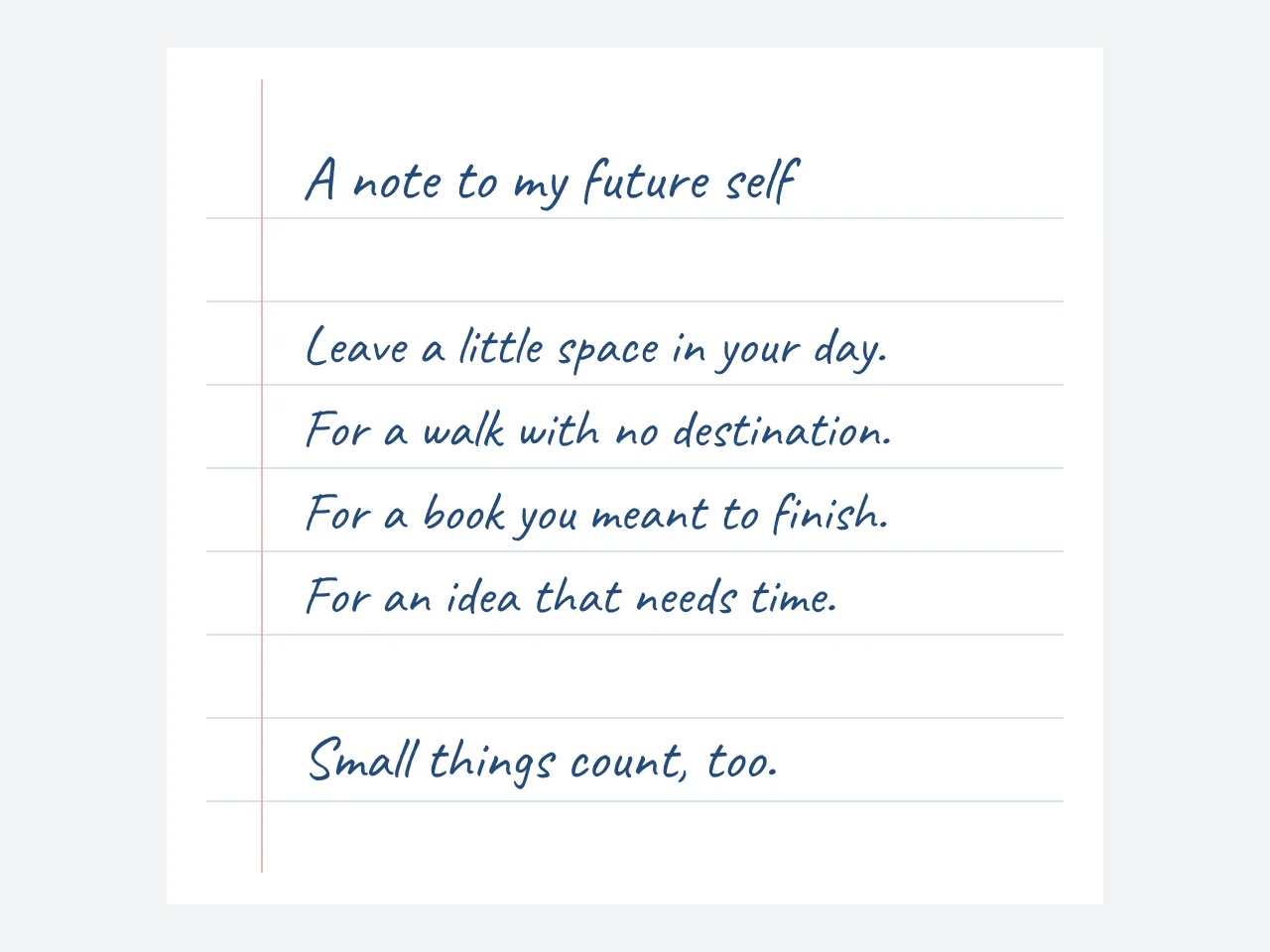
Make a personal note for a journal, a letter for a story prop or a heading for a scrapbook. Choose ruled paper for longer notes and a blank sheet for a letter. Text to Handwriting uses real handwriting fonts, so your spelling and wording stay yours.
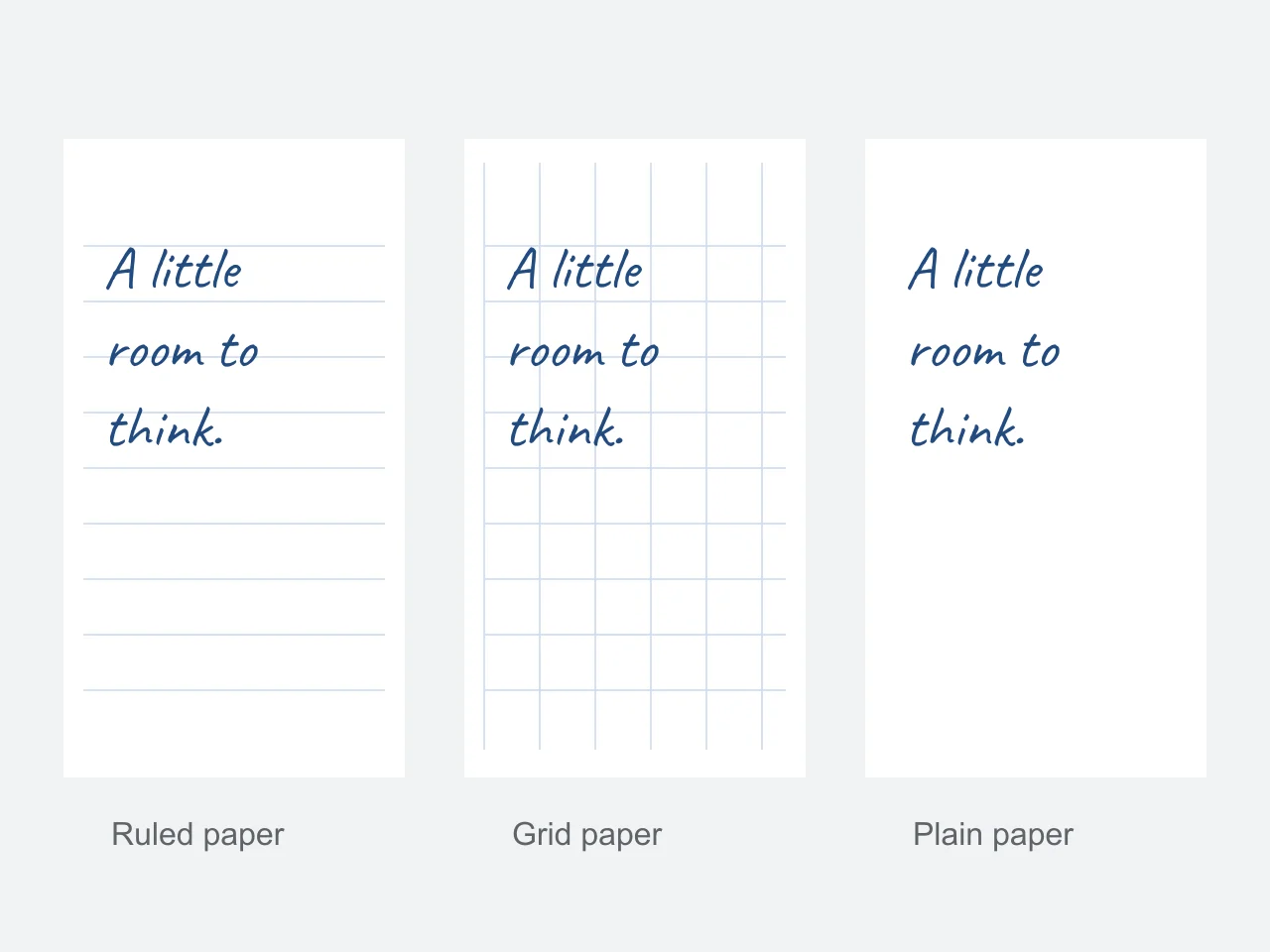
Transparent paper exports only the lettering in your PNG. Place it on your own stationery, a paper scan or a digital notebook. Every text to handwriting page in a set has the same A4 size, which keeps pages aligned when you print or import them.
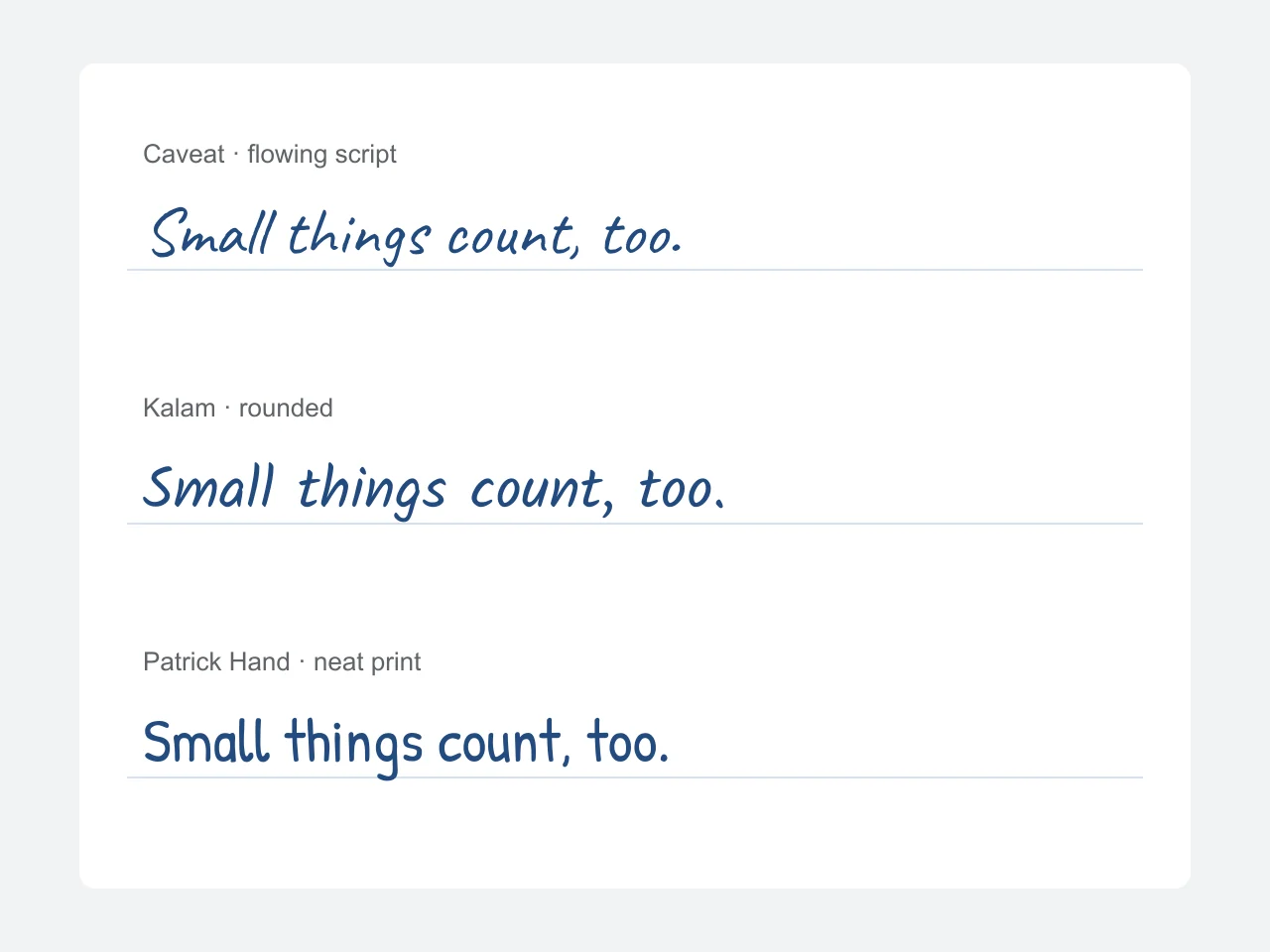
Caveat reads like quick cursive notes, Kalam like rounded everyday writing and Patrick Hand like careful block capitals. Try each one on your own text — the right handwriting font depends on how long and how personal the page is.
Paste, choose the paper and ink, and check each page before you download.
Add a letter, journal entry or study note to Text to Handwriting. Paragraphs and blank lines stay in place as the text flows onto A4 pages.
Pick a handwriting font, an ink color and ruled, grid, plain or transparent paper, then adjust letter size and line spacing.
Read the preview at full width, step through the pages, then export the current page as PNG, all pages as a ZIP, or a printable PDF.
Text to Handwriting uses fonts, not a scan of your pen. Here is what that means in practice.
| Text to Handwriting | Writing by hand | |
|---|---|---|
| Speed | A full page in seconds | Several minutes per page |
| Repeated letters | Identical every time | Naturally varied |
| Editing | Change the text and the pages reflow | Start the page again |
| Your personal style | Not reproduced | Entirely yours |
| Best for | Journals, props, planners, mockups | Graded or official handwritten work |
People who want the feel of a handwritten page without writing every line by hand.
Daily pages and gratitude notes for GoodNotes, Notability or a printed planner.
Notes for games, films, escape rooms and party invitations that need a personal touch.
Revision sheets on grid or ruled paper that are easier on the eye than typed text.
Transparent PNG lettering for scrapbook pages, cards and mixed-media projects.
A few settings make a text to handwriting page look far more natural.
Use line spacing between 1.6× and 1.8× on ruled paper so letters sit on the lines.
Choose blue-black ink for the look of an everyday ballpoint pen.
Shorter paragraphs and a blank line between them read more like real notes.
Use transparent paper and PNG to place the handwriting on a scan of your own paper.
Print the PDF at 100% or actual size so the lines match a real A4 sheet.
Formats, privacy and the details that matter before you download.
Yes. PNG, ZIP and PDF downloads need no account and carry no watermark. The fonts are served by TextCard under open licenses.
No. Text to Handwriting uses handwriting-style fonts, not your personal pen strokes, so repeated letters can look identical. It does not scan or train on handwriting samples.
Yes. Longer notes flow automatically across up to 30 pages. Step through them in the preview before exporting. The input limit is 12,000 characters.
The PDF holds A4 pages drawn at twice screen resolution (about 190 dpi) or higher, with the paper and ink you selected. Transparent paper prints as white. Text is stored as images, so it cannot be selected or searched in the PDF.
Yes. Download the PDF and open it in GoodNotes, Notability or any PDF annotation app; each A4 page becomes one notebook page.
Use ruled paper with line spacing around 1.7×, blue-black ink and short paragraphs. Caveat looks like quick notes, Patrick Hand like careful print — match the font to the kind of page.
The included styles work best for Latin text, including most accented letters. Other characters may use a fallback font. Check symbols in the preview before downloading.
Personal notes, journals, creative letters and design projects. Do not use text to handwriting to impersonate someone or to submit typed work as required handwritten work.
The Text to Handwriting tool is at the top of this page. Paste your note, choose paper and ink, then download a PNG or a printable PDF.
Make a handwritten pageFree · No watermark · Drawn in your browser, nothing uploaded