Keep or join paragraphs
Keep blank-line paragraphs, or join everything into one paragraph for a form field or a prompt.
Remove Line Breaks from text copied out of PDFs, emails and web pages. Keep the paragraphs and lists, fix split words, then copy the clean text — free, instant and private.
Blank lines still separate paragraphs. Turn off to join everything into one.
For text with no blank lines: starts a paragraph after a short line that ends a sentence.
Bullets, numbers and letters such as a) stay on their own lines.
Collapses runs of spaces and tabs.
Joins words broken by a hyphen at the end of a line. Review: a hyphen may belong to the word.
Free · Works with pasted text · Nothing uploaded, the original stays untouched
Remove Line Breaks is a free online text cleaner that joins lines a PDF or an email broke in the middle of a sentence. It keeps real paragraph breaks and list items, so the text pastes cleanly into Word, Google Docs, an email or a form.

Fixes hard wraps. Remove line breaks inside each paragraph while the blank lines between ideas stay.
Keeps the structure. Bullets, numbered items and paragraphs survive the cleanup.
Instant and private. Remove Line Breaks runs in your browser; your text is never uploaded.
Text copied from a PDF keeps every printed line ending. Remove Line Breaks joins them back into sentences and leaves the paragraph breaks alone.
Every printed line ends in a hard break, even mid-sentence.
Remote teams work best when decisions are written down and easy to find.
Keep each note short, dated and in one place.
Sentences flow again; the paragraph break is kept.
Each fix is a separate option, so you remove line breaks without losing the breaks that matter.
Keep blank-line paragraphs, or join everything into one paragraph for a form field or a prompt.
When a PDF copies without blank lines, a new paragraph starts after a short line that ends a sentence.
Bullets, numbers and letters such as a) keep their own lines; their wrapped lines join the item.
Joins words broken by a hyphen at the end of a line, while you decide whether compounds need it.
Collapses double spaces and tabs left behind by PDF columns and justified text.
Options change only the output, side by side with your source, so every change is easy to check.
Three situations where a plain find-and-replace makes things worse.
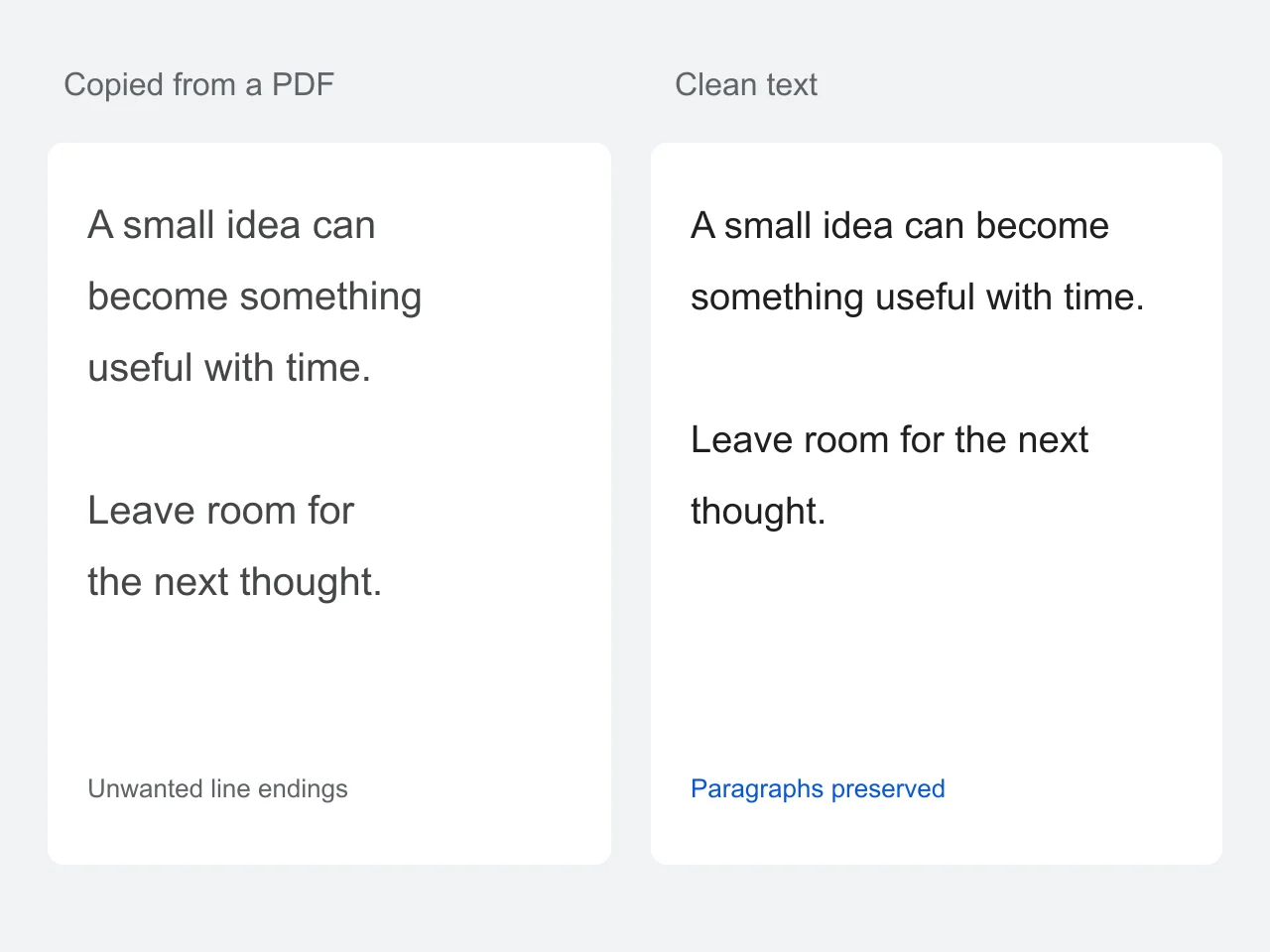
PDFs often copy each printed line as a separate line of text. That makes a paragraph awkward to paste into notes, emails or an editor. Remove Line Breaks joins wrapped lines while a blank line between ideas stays, and the paragraph guess handles PDFs that copied without blank lines.
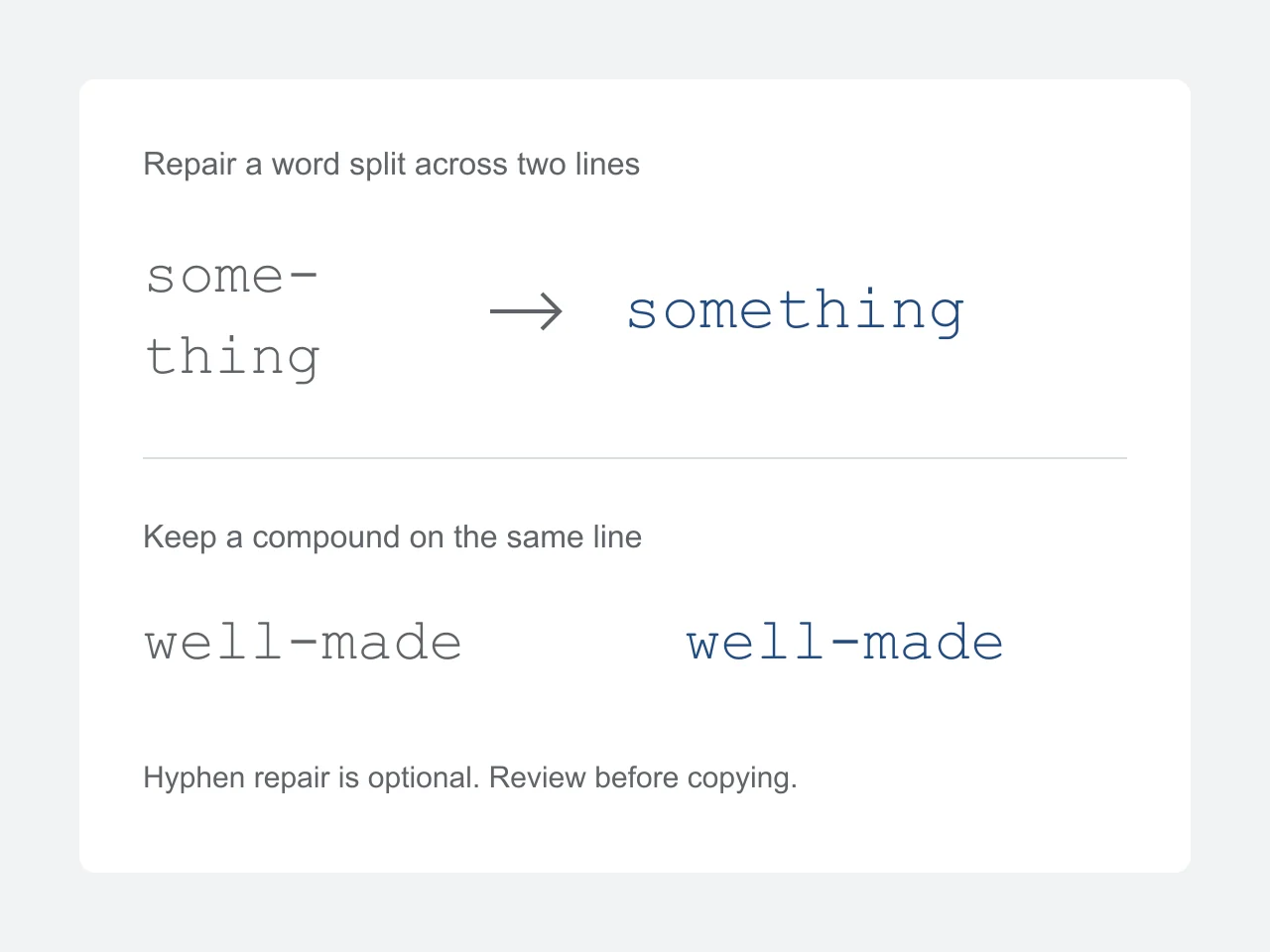
You never lose sight of your source. Space cleanup, paragraph guessing and split-word repair are separate options because each can be wrong for some text — a hyphen may belong to a real compound word. The tool works on pasted text; it does not read PDF files, recognize scanned pages or recover the layout of a table.
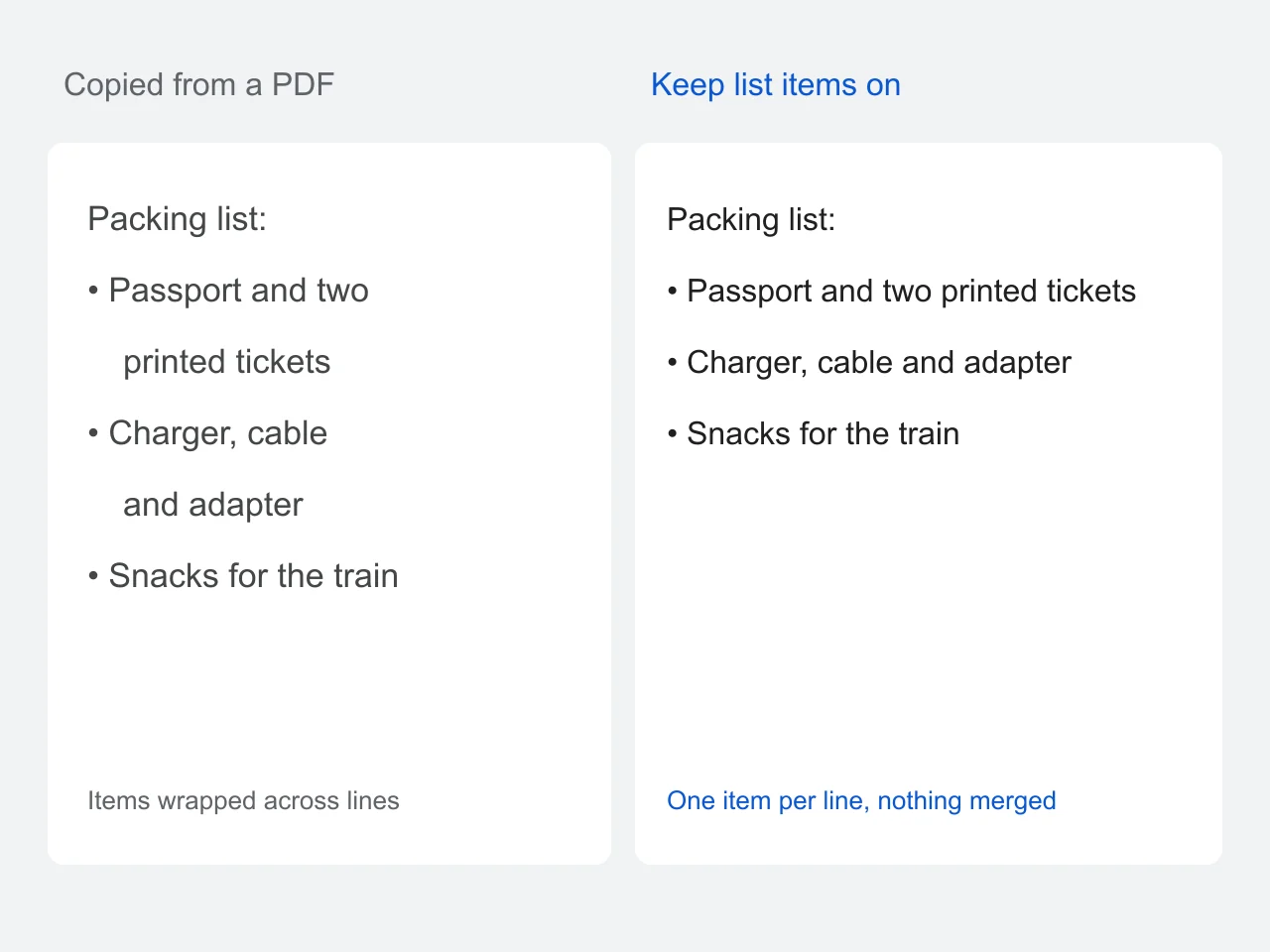
A naive tool that removes line breaks also flattens every bullet into one long sentence. With Keep list items on, each bullet or numbered step stays on its own line, and only the lines that wrapped inside an item are joined.
Paste, choose which breaks to keep, and copy the result.
Copy selectable text from a PDF, an email or a web page and paste it into Remove Line Breaks. The original stays beside the result so you can compare.
Keep blank-line paragraphs, guess paragraphs when there are none, and keep list items on their own lines. Repair split words if the source hyphenates at line ends.
Copy the clean text or download a UTF-8 TXT file. You can also send it to the card maker without retyping.
Each problem in copied text, what it becomes, and the option that controls it.
| In the copied text | After cleanup | Option |
|---|---|---|
| A line break mid-sentence | Joined with a single space | Always on |
| A blank line between paragraphs | Kept as a paragraph break | Keep paragraphs |
| No blank lines at all | Paragraphs guessed from short lines | Guess paragraphs |
| - bullet or 1. item | Each item on its own line | Keep list items |
| exam- / ple at a line end | example | Repair split words |
| Double spaces and tabs | One space | Clean extra spaces |
Any time text was laid out for a page and now needs to flow somewhere else.
Paste report, contract or ebook passages into a document without fixing every line by hand.
Clean plain-text emails that arrive hard-wrapped at 72 characters before you forward or quote them.
Quote papers and articles in notes, citations or slides as proper flowing sentences.
Join everything into one paragraph for application forms, CMS fields and chat prompts.
How to remove line breaks without creating new problems.
Copy one column at a time from multi-column PDFs; mixed columns cannot be untangled afterwards.
Turn on Guess paragraphs only when the source has no blank lines, then skim the result.
Leave Repair split words off for text with many hyphenated compound words.
Keep the original line breaks for code, poems and addresses — they carry meaning.
Scanned PDFs have no text layer; run OCR first, then paste the text here.
Formats, privacy and the details that matter before you download.
Yes. Clean, compare, copy and download TXT without signing up. There is no paid conversion limit.
Leave Keep paragraphs on: single line breaks become spaces and blank lines still separate paragraphs. If the copied text has no blank lines, turn on Guess paragraphs and check the result — it starts a new paragraph after a short line that ends a sentence.
With Keep list items on, each item that starts with a bullet, a number or a letter such as a) stays on its own line, and the lines it wrapped onto are joined to it.
Find and replace can remove line breaks there, but it also deletes paragraph breaks. Paste the text into Remove Line Breaks first, keep the paragraphs, then paste the clean text into your document.
First extract the words with an OCR tool, then paste that text here. This tool does not upload or scan the PDF itself.
No. Options change only the output; turn a setting off to undo it. Clear has an Undo action, so an accidental tap does not lose your input.
Only for words broken by a hyphen at the end of a line. Review the result: removing a hyphen from a genuine compound may change its meaning.
Yes. Paste in the Original tab, check the Clean text tab, then copy. Options are in their own tab.
Their line breaks often carry meaning. Keep the original formatting instead, or clean only the prose you intend to join. The maximum input is 100,000 characters.
Remove Line Breaks is at the top of this page. Paste the text, check the result side by side, then copy it or download a TXT file.
Clean my textFree · Works with pasted text · Nothing uploaded, the original stays untouched