One-click quick copy
The toolbar copies a Hangul filler, a Braille blank or a zero-width space straight away, without opening anything.
Copy invisible text in one click: blank characters that look empty but still count as text. Pick from 19 invisible characters, set how many you need, or check any text for hidden ones.
Hangul Filler: Blank names and nicknames: counts as a letter, so name fields that reject spaces often accept it.
2 hidden characters:1 × Zero Width Space (U+200B)1 × No-Break Space (U+00A0)
Invisible text is made of Unicode characters that take up a place in the text but draw nothing you can see. Apps store and count invisible text like any other text, so it can fill a field that would reject an empty value while readers just see a blank.

Blank, not empty. An invisible character is a real character. A name or message made of invisible text is not empty to the app, even though it looks empty to people.
Two kinds of blank. Some invisible characters take up space like a letter, such as the Hangul filler and the Braille blank. Others have zero width and only mark a position between characters.
Why spaces do not work. Most apps trim ordinary spaces from the start and end of names and messages. Fillers such as the Hangul filler and the Braille blank are classed as letters or symbols, so that cleanup usually leaves them alone. Some special spaces in this tool are removed by trim(), so check the table.
Checked on your device. The invisible text generator and the hidden character checker run in your browser. Nothing you paste is uploaded or stored.
Apps clean up names and messages by trimming whitespace. Fillers like the Hangul filler and the Braille blank are not whitespace, so they usually survive the cleanup and still look blank. Special spaces do not, and some apps filter more than whitespace.
Name field
After trimming: ""
Empty, so the app rejects the name.
Name field
After trimming: "ㅤ" — one character
Not empty, so it is kept, and it still looks blank.
All 19 invisible characters in this tool, with their Unicode code point, width and type. “Removed by trim()” shows whether the standard JavaScript trim() function strips the character — the cleanup many apps run on names and messages.
| Character | Name | Code point | Width | Type | Removed by trim() | Best for | Copy |
|---|---|---|---|---|---|---|---|
| Hangul Filler | U+3164 | Blank | Letter | No | Blank names and nicknames: counts as a letter, so name fields that reject spaces often accept it. | ||
| Braille Pattern Blank | U+2800 | Blank | Symbol | No | Blank messages and empty lines in bios: a symbol that keeps its width everywhere. | ||
| Zero Width Space | U+200B | Zero width | Format | No | Splitting words or links without a visible gap, and line-break points in long words. | ||
| Halfwidth Hangul Filler | U+FFA0 | Blank | Letter | No | A narrower blank letter, for tighter spacing in names. | ||
| Zero Width Non-Joiner | U+200C | Zero width | Format | No | Stops letters from joining in scripts such as Persian and Hindi. | ||
| Zero Width Joiner | U+200D | Zero width | Format | No | Glues emoji together, such as 👩💻, and joins letters in some scripts. | ||
| Word Joiner | U+2060 | Zero width | Format | No | Keeps two words or characters from breaking across lines. | ||
| Zero Width No-Break Space | U+FEFF | Zero width | Format | Yes | Byte order mark at the start of files; trimmed like a space. | ||
| Mongolian Vowel Separator | U+180E | Zero width | Format | No | A Mongolian script control; no longer counts as a space. | ||
| Combining Grapheme Joiner | U+034F | Zero width | Mark | No | An invisible mark that attaches to the character before it. | ||
| Soft Hyphen | U+00AD | Zero width | Format | No | Shows a hyphen only if a word breaks at that point. | ||
| No-Break Space | U+00A0 | Blank | Space | Yes | A normal-width space that never breaks a line. | ||
| En Space | U+2002 | Blank | Space | Yes | A space half an em wide. | ||
| Em Space | U+2003 | Blank | Space | Yes | A wide space, as wide as the font size. | ||
| Figure Space | U+2007 | Blank | Space | Yes | As wide as a digit, for lining up numbers. | ||
| Thin Space | U+2009 | Blank | Space | Yes | A narrow space, used around units and dashes. | ||
| Hair Space | U+200A | Blank | Space | Yes | The narrowest common space. | ||
| Narrow No-Break Space | U+202F | Blank | Space | Yes | A thin space that never breaks a line. | ||
| Ideographic Space | U+3000 | Blank | Space | Yes | A full-width space from Chinese, Japanese and Korean text. |
Copy a blank in one click, or choose exactly the invisible character and the amount you need.
The toolbar copies a Hangul filler, a Braille blank or a zero-width space straight away, without opening anything.
Fillers, blank symbols, zero-width characters and special spaces, each with its code point and a note on what it is for.
Every character is drawn inside a dashed box, so you can see whether it takes up space or has no width at all.
Set how many invisible characters you need with the stepper or the 1, 3, 10 and 100 shortcuts, then copy them in one go.
Paste any text to see zero-width spaces, fillers, odd spaces and direction marks as red tags with their code points.
Remove hidden characters, turn special spaces into normal spaces and copy the clean text, ready to paste.
The checker skips the invisible joiners inside emoji sequences such as family and flag emoji, so it never breaks them apart.
On a phone, copying and checking are two tabs, with the main Copy button pinned at the bottom of the screen.
No sign-up and no limits. Invisible text is created on your device, and nothing you paste leaves it.
From a blank name to a clean message in under a minute.
Keep the Hangul filler for names, or choose the Braille blank for messages and empty lines. All 19 invisible characters are one tap away.
Use 1 for a blank name, or more for a wider gap or a longer blank message. The dashed boxes preview the invisible text.
Press Copy, paste the invisible text where you need it and check it there before you save. If an app rejects one character, try another.
Real screenshots of the tool, on a laptop and on a phone.
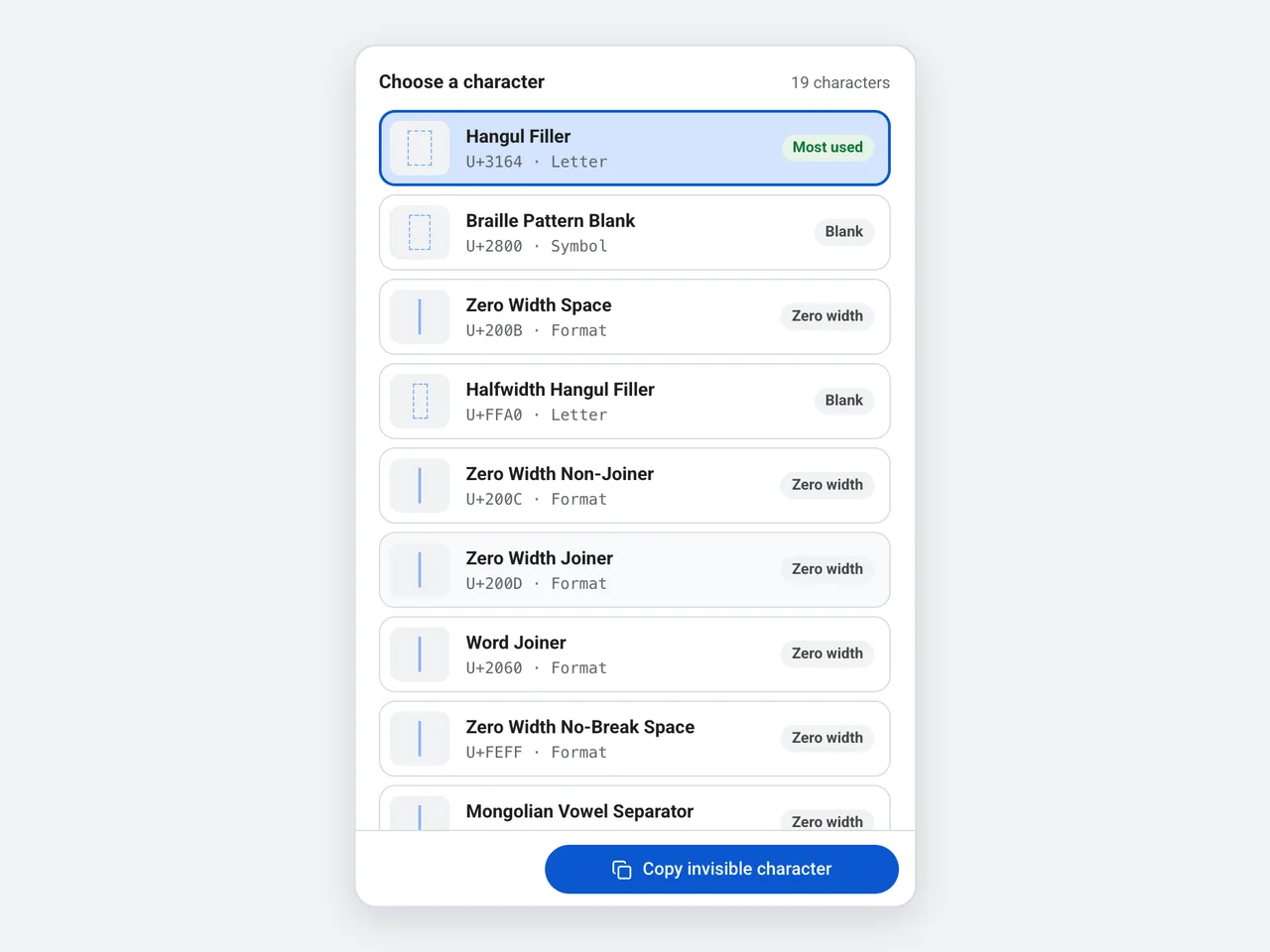
Open All 19 characters to see the fillers, blank symbols, zero-width characters and special spaces. The dashed box around each one shows its true width, and the label says whether it is a blank or a zero-width character.
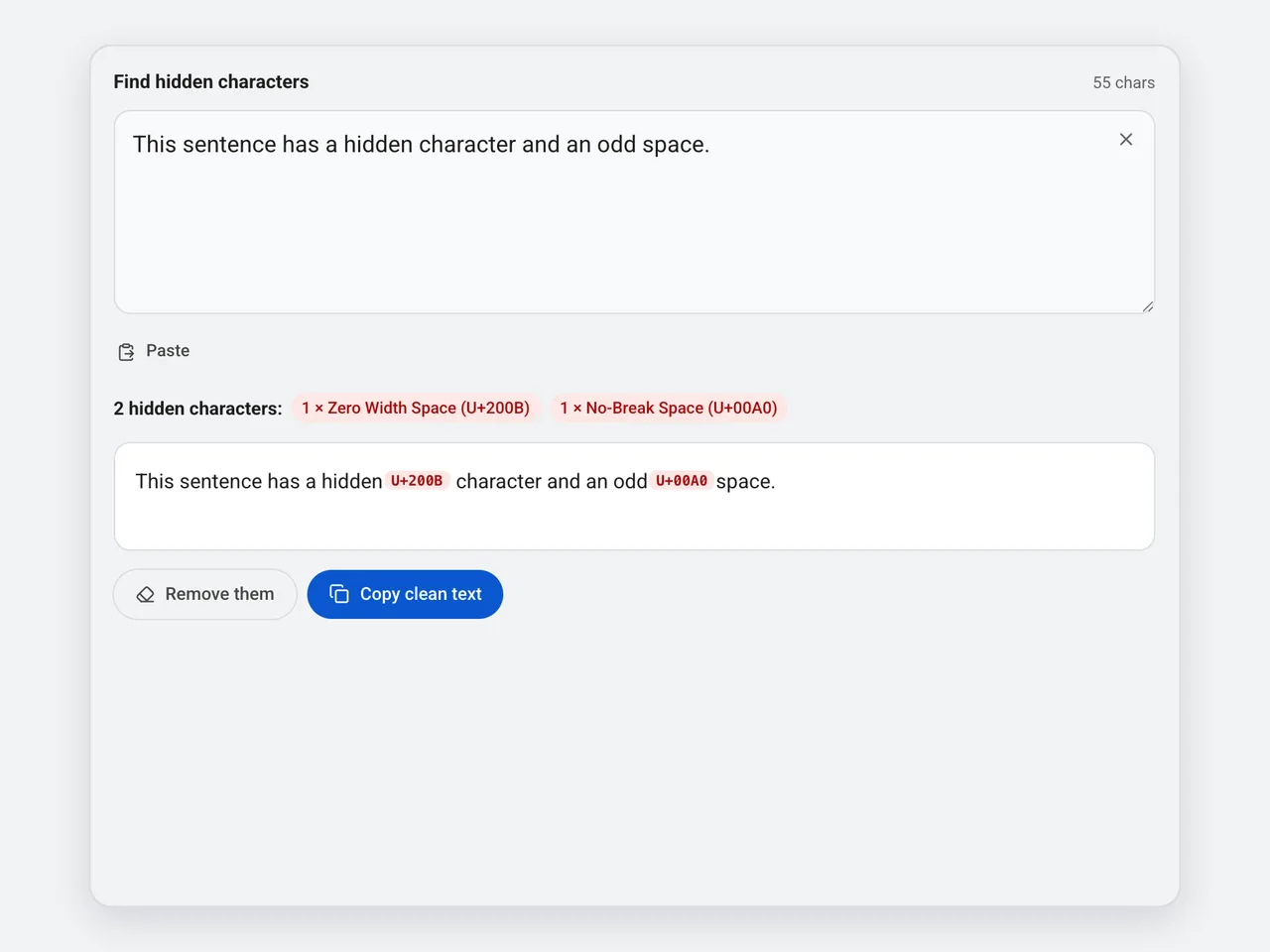
Paste a name, a message or text from a web page into the checker. Hidden characters appear as red tags with their code points, the summary counts them by type, and one click removes them or copies the clean text.
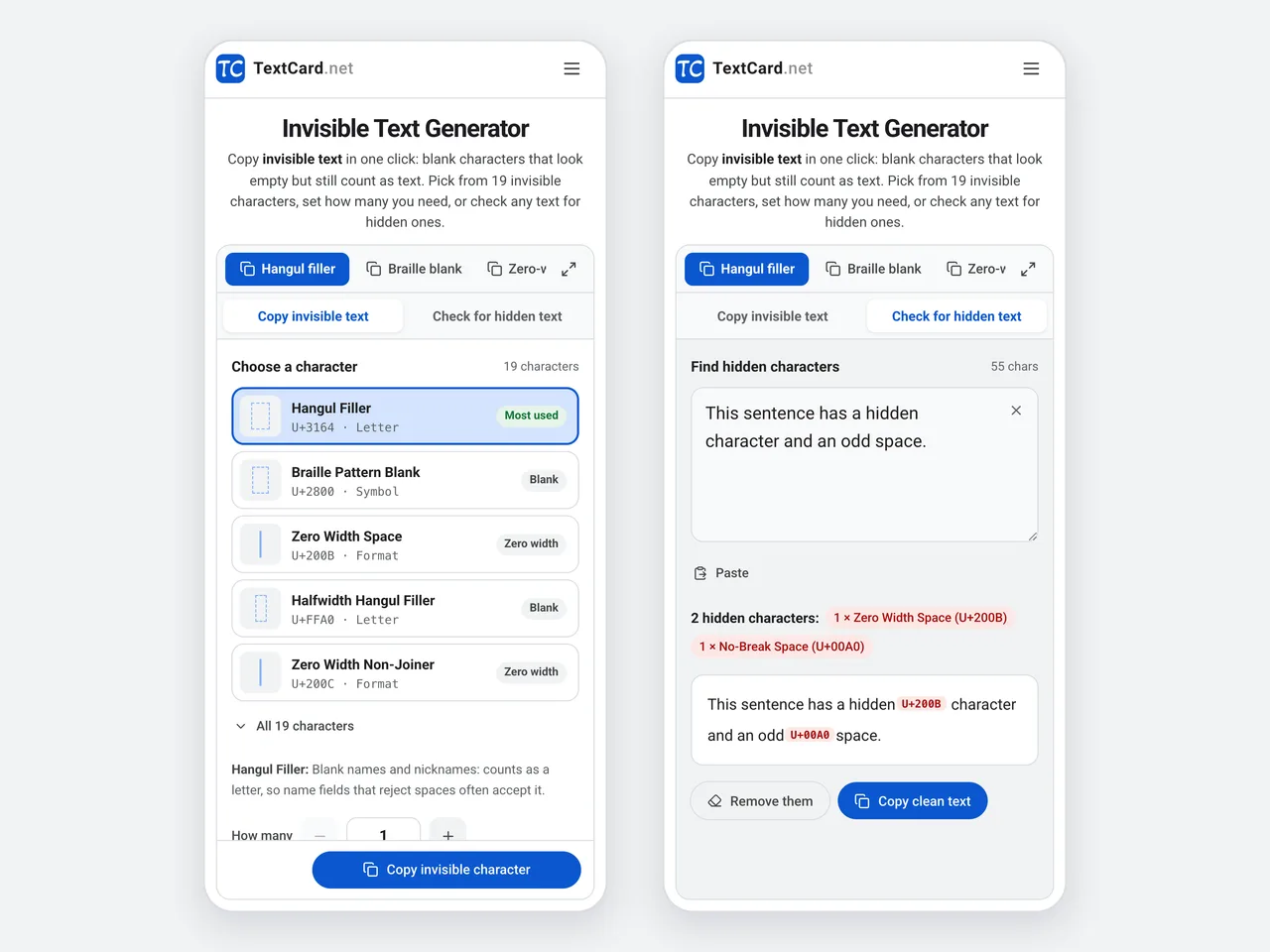
On a phone, the invisible text generator opens on the copy tab with the main button pinned at the bottom, and the checker is one tap away. The quick-copy buttons stay in the toolbar on both tabs.
Each invisible character behaves a little differently. Here is how the three most useful ones compare.
| Hangul filler (U+3164) | Braille blank (U+2800) | Zero-width space (U+200B) | |
|---|---|---|---|
| Looks like | A blank about one letter wide | A blank about one letter wide | Nothing at all: no width |
| Unicode type | Letter | Symbol | Format character |
| Removed by trim() | No | No | No |
| Default ignorable | Yes: some fonts draw it with no width | No: it keeps its width | Yes |
| Best for | Blank names and nicknames | Blank messages and empty lines | Joining or splitting words invisibly |
Invisible text solves small problems where an app expects text but you want a blank.
Use a Hangul filler as a name that looks empty, or between words where a space is not allowed. Some apps block it, so test before you save.
Send a message that looks blank by pasting invisible text into the message box instead of words.
Put a Braille blank on its own line to keep a blank line in a bio or caption where empty lines are usually removed.
Add space where repeated spaces collapse into one, such as in some titles, captions and display names.
Players use blank characters for minimal clan tags and nicknames. Game rules differ, so check the name policy first.
Developers paste invisible text to test how a form, a database or a search handles characters people cannot see.
Invisible characters are handy, but they are still characters. Keep these points in mind.
Start with the Hangul filler for names and the Braille blank for messages. If an app rejects one invisible character, try the other.
Paste and check before you save: some apps strip, block or replace invisible text, and their rules can change without notice.
Every invisible character counts toward length limits, so a long run of invisible text uses up a name or bio limit quickly.
Screen readers may announce nothing, or a code name, for invisible text. Keep important information in visible words.
Text copied from web pages or AI chats can carry zero-width spaces or tag characters. Paste it into the checker before you reuse it.
Copying, compatibility and privacy: the details that matter.
Invisible text is made of Unicode characters that look blank but are still characters, such as the Hangul filler (U+3164), the Braille Pattern Blank (U+2800) and the zero-width space (U+200B). Apps store and count invisible text like any other text, so it can fill a field that would not accept an empty value.
Press Hangul filler in the toolbar to copy one invisible character, or choose a character and an amount in the panel and press Copy. Then paste it where you need it, the same way you paste any text.
For names and nicknames, start with the Hangul filler: it is a letter, so name fields that reject spaces often accept it. For blank messages and empty lines, the Braille blank is a good first try because Unicode does not mark it as ignorable, so it keeps its width. Apps filter differently, so test before you rely on one. Zero-width characters are best for joining or splitting words.
Most apps trim spaces from the start and end of names and messages, and many collapse repeated spaces into one. Fillers like the Hangul filler and the Braille blank are not whitespace, so that cleanup does not remove them. Special spaces such as the no-break space are whitespace and can be trimmed too.
Often, yes: paste one or more Hangul fillers into the name field. Some games and apps block invisible characters or require visible letters, so the only way to be sure is to try it there.
Copy one or a few Braille blanks or Hangul fillers and send them as the message. In apps that accept them, the chat shows a bubble that looks empty; some apps block blank-looking messages anyway.
A blank character such as the Hangul filler or the Braille blank takes up space like a letter. A zero-width space (U+200B) has no width at all: it marks a point where a line may break, or separates characters without a visible gap.
Paste the text into the Check for hidden text panel. Each hidden character appears as a red tag with its code point, and the summary lists how many of each type the checker found.
After checking your text, press Remove them to delete the hidden characters, or Copy clean text to copy the cleaned version. Special spaces such as the no-break space become ordinary spaces, so words stay apart.
They are ordinary Unicode characters and cannot run code. They can still cause trouble: a hidden character can make two names look identical, break a search, or carry text people cannot see inside copied content. That is why this tool includes a checker.
Yes. Each invisible character counts as at least one character, and some apps count characters outside the basic range as two. A long run of invisible text uses up a limit quickly.
No. The invisible text generator and the checker run entirely in your browser. Nothing you copy or paste is sent to a server or stored.
One click for a blank name or message, 19 invisible characters to choose from, and a checker for hidden ones.
Open the invisible text tool19 invisible characters · Free · No sign-up · Runs in your browser, your text is never uploaded